How to Automate Internal Workflows with AI
Insights/ AI Strategy & Automation / Workflows & Automation
08 Aug 2023 - 08 min read
Map the workflow before you automate any of it
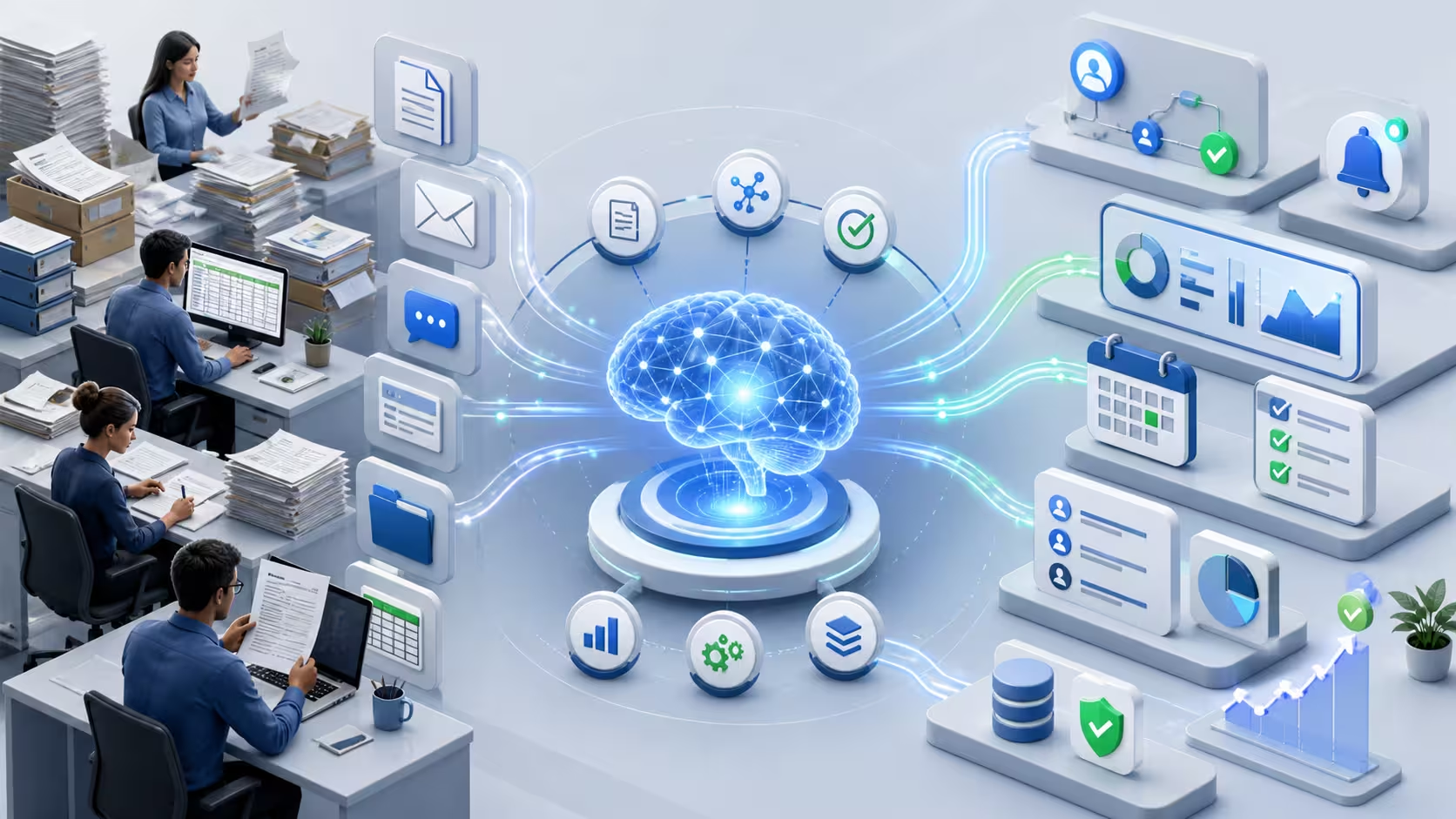
Most disappointing AI workflow automations have the same root cause: nobody actually mapped the workflow before automating it. The team wrote a one-paragraph description, picked a model, built an integration, and discovered after launch that the real workflow had three branches, four exceptions and a quiet conversation between two people that nobody had documented. The model worked; the workflow it was attached to did not.
This article is about the design side of the work. It assumes the use case has cleared selection, the readiness gates exist, and the integration plan is in place. The job here is the one above all of those: deciding what the workflow actually is, which steps should be automated with which tool, where humans stay involved and how, and where the easy-looking answer (full automation) is the wrong one. The integration mechanics that carry the design into production are covered in the AI integration article.
The first concrete step is mapping the workflow as it really runs today, not as the policy document says it should run. Walk it with the people who do it. Note the inputs, the outputs, the branching conditions, the systems touched, the exceptions, the time spent on each step, and the moments where the work waits for someone to come back from a meeting. The artefact does not need to be a BPMN diagram. A whiteboard, a numbered list, or a spreadsheet is enough. What matters is that every step is named, every branch is acknowledged, and every "and then we usually..." has been written down.
A workflow mapped this way is what reveals the candidates for automation, the steps that are not actually candidates, and the exceptions that will eat the savings if they are ignored.
AI vs RPA vs simple rules: the right tool for each step
A common mistake at this stage is to assume "we want to automate this with AI" before looking at each step individually. In practice, a good workflow automation uses three different kinds of tooling, often inside the same flow.
Simple rules (an if-statement, a SQL query, a routing rule) handle the steps that are deterministic. The customer's country is X, route to team Y. The amount is above the threshold, send for second-level approval. These steps do not need a model; using one adds cost, latency and a probability of being wrong for no benefit.
RPA or scripted automation handles the steps where structured data needs to move between systems that do not have proper APIs, or where a UI has to be driven on behalf of a user. RPA is unfashionable, but it is often the right tool for a step where the integration cost of doing it "properly" is not justified by the volume.
AI handles the steps where the input is unstructured (free-text, document, voice), the patterns are too varied for rules, and the volume justifies the operational overhead. Drafting, classifying, extracting, summarising, retrieving, suggesting. AI is the right tool for the cognitive steps, not for the data-movement steps and not for the deterministic decisions.
The strongest workflow automations look boring on a diagram: rules where rules fit, scripts where scripts fit, AI where AI fits, with humans in the right places. The fashionable approach (use the LLM for everything) is more expensive, slower, and harder to explain when something goes wrong.
What to automate, what to keep human
Inside the steps where AI is the right tool, the next decision is how much of each step to automate.
Three categories of work tend to automate well. Cognitive routine work with a tolerable error rate: drafting an email, classifying an incoming request, extracting fields from a document, summarising a long thread. Repetitive lookups that take a person several minutes per case but follow a stable pattern: pulling the right policy clause, fetching prior interactions, assembling a context pack for the next person in the chain. Suggested next actions in a workflow where the human still confirms: a recommended response, a recommended classification, a recommended priority.
Three categories should usually stay human. Judgement work that depends on context the model does not have: relationship history, political sensitivity, an ambiguous customer signal that an experienced person reads correctly and a model does not. Exceptions and edge cases, where forcing automation is exactly where the worst incidents happen. Customer-facing or beneficiary-facing decisions with material consequences, where the cost of being wrong is paid by someone who did not consent to the automation.
The right design is rarely "automate everything in the step" or "automate nothing in the step". It is "automate the part where the AI is reliably better than the human, leave the rest to the human, and design the handoff between the two so neither has to redo the other's work".
Batch vs interactive workflows
Workflow automations split cleanly into two operational shapes, and they have very different design constraints.
Interactive workflows run while a user is waiting. A drafted email in the user's inbox. An auto-classified ticket in the queue. A search result with a generated summary. Latency matters here in seconds, not minutes. The fallback when the AI is slow or unavailable matters as much as the success path: showing nothing, or showing a stale answer with a clear marker, is usually better than blocking the user.
Batch workflows run on a schedule, against a queue, with no user waiting. Nightly classification of yesterday's tickets. Daily extraction of fields from a folder of documents. Weekly summarisation of a knowledge corpus. Latency matters in throughput and cost, not in user-perceived seconds. Failure handling matters in retries and dead-letter queues, not in fallback UI. Monitoring matters in the morning report, not in the live dashboard.
Designing an interactive workflow as if it were batch (and vice versa) is one of the most common ways automation projects produce something that technically works and operationally annoys everybody. The right operational shape is decided at design time, not after launch.
Handoffs and review loops
Most workflow automations are not "AI does the whole thing". They are "AI does part of the thing and a human does another part", which makes the handoff design more important than the model choice.
A workable handoff has three properties. The AI's output reaches the human in the place they already work, not in a separate inbox. The human can accept, edit or reject in fewer clicks than redoing the work from scratch would take. And the disposition (accepted, edited, rejected) is captured automatically, because that signal is what tells the team whether the workflow is actually saving time or quietly costing it.
Review loops are the second half of the same design. A sample of automated outputs is re-reviewed periodically by a domain expert: not for blame, but to catch the slow drift that monitoring numbers alone do not. The cadence depends on volume and risk: weekly for high-volume customer-facing work, monthly for back-office classification, quarterly for low-volume internal drafting. A workflow with no review loop is a workflow that will be silently wrong for months before anyone notices.
Anti-patterns of over-automation
A few automation patterns come up in almost every AI workshop and rarely earn their keep.
Automating a broken process. If the manual workflow is full of workarounds, the automated workflow inherits them and amplifies them. Fix the workflow first, automate it second. Sometimes the cheapest "automation" is to remove the broken step entirely.
Full end-to-end automation on day one. Going from "humans do everything" to "AI does everything" in a single launch is how organisations discover, the expensive way, which exceptions they had not noticed. A staged design (suggestion, then assist, then automate-with-review, then automate-with-audit) catches the gaps when they are still cheap.
Automating away the learning step. The repetitive part of a workflow is often where the human learns the patterns that make them better at the judgement parts. Automating it entirely without thinking about how the human is going to develop expertise downstream is how teams quietly lose capability over a year or two.
Automating high-touch customer interactions to "save cost". The savings show up in the next quarter; the customer churn shows up the quarter after. The right answer is usually to automate the back-office work that supports the human-facing interaction, not to remove the human-facing interaction.
Final takeaway
AI workflow automation is design first, model second. The organisations that get measurable productivity from it are not the ones with the most ambitious automation roadmaps; they are the ones that mapped the workflow honestly, used the right tool for each step, kept humans where humans add value, and designed the handoffs so the work actually flows. Most of the cost of getting this wrong is not the project itself; it is the year of misapplied automation that follows, which is usually harder to undo than to avoid.
The wider context, including how workflow design connects to AI strategy, governance, readiness, use-case selection and integration, is collected in the AI strategy and automation insights cluster. And when the question moves from "we want to automate this workflow" to "we need to redesign it, automate the right parts with the right tools and keep the operating model honest", that is exactly what my digital transformation advisory practice is built around.
- Haja Faniry
Related services
API Development & System Integration
API development and system integration services to connect platforms, automate workflows and enable seamless data exchange between applications.
Digital Transformation & Technology Solutions
Digital transformation consulting and technology solutions to automate workflows, modernize digital infrastructure and support organisational growth.
Data Analysis, Business Intelligence & Dashboards
Data analysis consulting and business intelligence dashboards to help organisations transform data into actionable insights and improve decision-making.