Headless CMS vs Markdown Workflow
Insights/ Web Architecture & Platforms / Framework Comparisons
08 May 2024 - 07 min read
Where the content actually lives
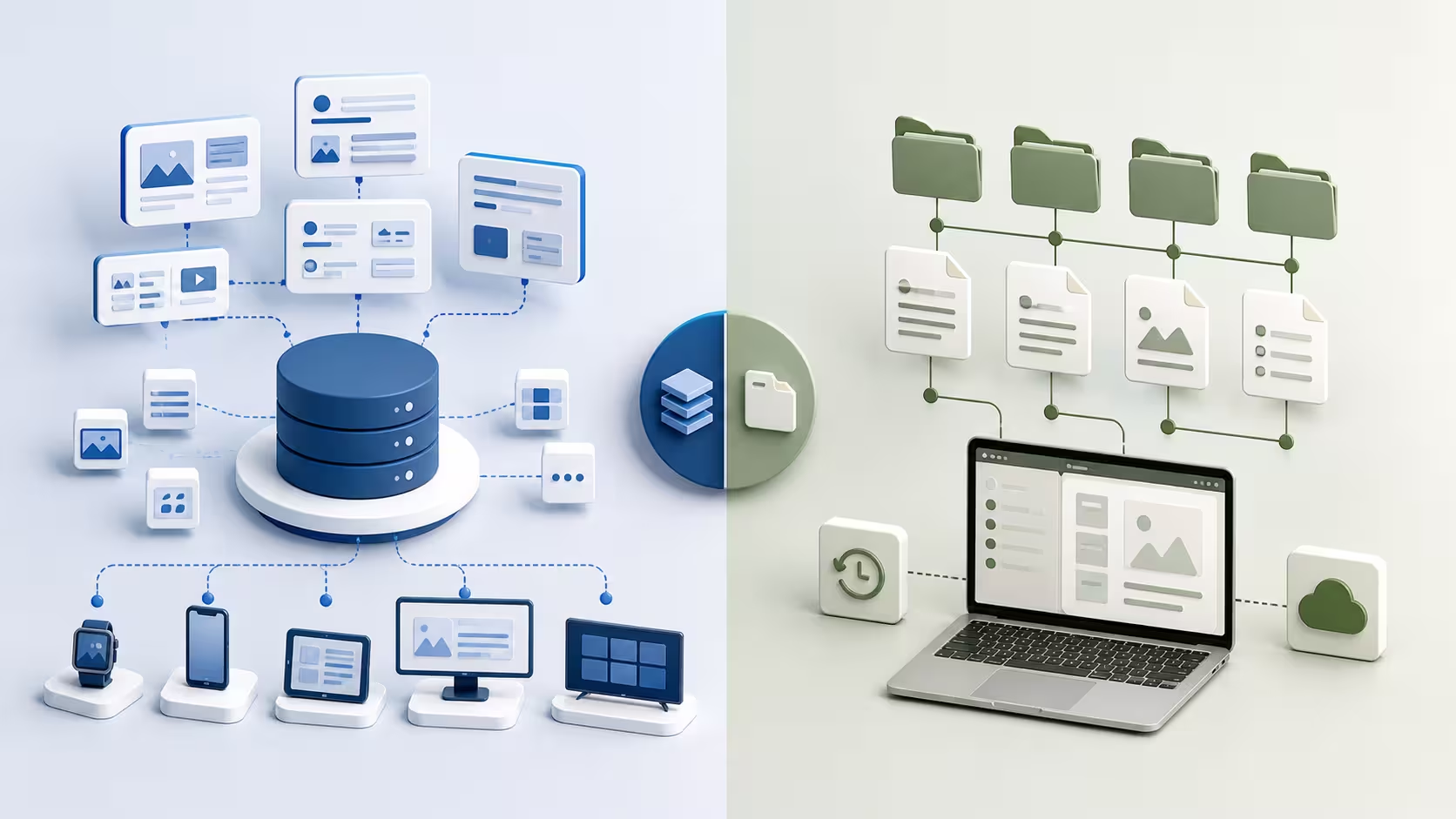
Two web projects can both be "headless" or both "monolithic" and still differ on a question that decides as much of the editorial reality: where does the content physically live, and who can change it.
Two viable answers exist for most content-driven projects. The first is markdown in your git repository: every page, every blog post, every product description is a .md file checked into source control, edited in a code editor or a git-aware editing tool, reviewed in pull requests, and built into the site at deploy time. The second is a hosted content management system: the same content lives in a database (your own, or a SaaS provider's), is edited through a web UI, and is fetched by the frontend at request time or via webhook revalidation.
Both are real, mature options. Both ship serious websites. The right choice for a project depends almost entirely on who writes the content, who publishes it, and how often they ship. The architectural decoupling question (headless or not) is covered in the headless architecture article; this one sits one level below it, on the content-source layer.
When markdown-in-git is the right choice
Five characteristics consistently make markdown the right content source.
The authors are technical, or are willing to use a git-aware editing tool. Engineers, technical writers, developer relations, product managers who already work in pull requests. The friction of "open the editor, write markdown, commit, push, get reviewed, merge" is a feature for these authors, not a bug.
The publishing cadence is moderate, not high-velocity. Several updates a week, sometimes daily. Not "the editor wants to push a hotfix to a press release in the next ten minutes". Build-time publishing fits neatly into a daily or hourly deploy cadence; it does not fit a workflow where ten minutes between edit and publication is too long.
Versioning, branching and review are part of how the team already works. A redesign branch can carry six weeks of content changes that ship together with the new template, without affecting production. A typo fix can be a one-line PR. The content history is a git history, with author, timestamp, and the conversation in the PR review attached.
Content infrastructure is unwelcome. No CMS to host, no admin user accounts to manage, no plugin ecosystem to keep up to date, no separate backup story. The content is in the same repo as the code, and the same deployment that ships code ships content.
The content model is reasonably stable. Adding a new field to all 400 blog posts is a script run, not a CMS migration. Markdown rewards stability and punishes content-model churn that would have been a routine "edit this content type" in a CMS.
When all five fit, markdown-in-git is the lowest-friction content source for the team and the cheapest one to operate in the long run.
When a hosted CMS is the right choice
Equally, five characteristics make a hosted CMS the right call rather than a fashionable one.
Non-technical editors do most of the publishing. Communications teams, marketing leads, NGO programme officers writing field updates. People for whom "open a pull request to fix a typo" is a non-starter. A CMS gives them a familiar text editor, an obvious "save" button, and a clear "publish" action.
The content model is rich and changes regularly. Multiple content types, structured fields per type, references between entries, image galleries with metadata, multi-language fields. Modelling this in markdown frontmatter is possible but quickly fragile; a CMS schema makes it explicit and queryable.
Publishing has to be fast and decoupled from deploys. The marketing team needs to push a campaign update at 9pm without waking up an engineer. Editors need to schedule content for a specific time. Hot-fixing a wrong number in a published article cannot wait for a CI pipeline.
Multiple editors with different roles work in parallel. Authors, reviewers, approvers, translators. Role-based permissions, draft-and-review workflows, scheduling. A CMS handles this natively; replicating it on top of a markdown-and-PR flow is possible but rarely worth it.
Asset management is part of the editorial work. Editors upload images, the CMS stores them, the frontend renders responsive variants. Doing this on top of git produces large repositories and editors who move screenshots through Slack to a developer. A CMS image library is what they actually want.
When most of these fit, a CMS is what the editorial team needs, and trying to push them into markdown is how the workflow gets quietly subverted (the editor edits in Word, sends the doc to a developer, the developer commits the markdown).
What you give up with each (and what surprises teams)
Both choices come with real trade-offs that often surprise teams six months in.
With markdown, the surprises are usually editorial. The non-technical contributor who was supposed to write monthly updates writes one and stops, because the friction is too high. The legal team needs a single sentence changed and three engineers get pulled into a Friday afternoon. The translation workflow turns out to require a custom git tool because no off-the-shelf translation service understands the repository structure. None of these are dealbreakers when the team is technical; they are dealbreakers when it is not.
With a hosted CMS, the surprises are usually structural. The content model that looked clean at launch needs three migrations in the first year. The CMS vendor's pricing scales unexpectedly with usage. An export of "all the content" turns out to be lossy when it has to leave the proprietary system. The preview environment never quite matches production, so editors publish once to see what it looks like and again to fix what it looks like. None of these are dealbreakers when the editorial value is real; they are dealbreakers when the team could have shipped with markdown and over-invested in CMS for a 50-page site.
The honest test is to walk a representative content change through both options end to end, with the people who will actually do the work, before committing.
Hybrid setups and how they actually work
The right answer for many projects is not one or the other but both, with each carrying the content it suits.
A common arrangement: marketing pages and the blog in markdown (low volume, technical maintainers, deep version-control benefits), product catalogue or knowledge base in a CMS (structured fields, non-technical editors, frequent updates), and a frontend that consumes both seamlessly. Static-site generators and full-stack frameworks both support this hybrid: a build can read both filesystem markdown and an external content API, and the user sees one site.
The discipline that makes this work is to draw the boundary by content type, not by team preference. Each content type has one source. The team agrees up front which types live where, and migrations between them are explicit decisions, not silent drift. Without that discipline, hybrid setups become "we have content in two systems, neither of them complete, and nobody knows which is canonical".
Final takeaway
The headless architecture decision is "should the content layer be decoupled from the frontend". The content-source decision is "where does the content actually live". Markdown-in-git wins on operational simplicity, version control, technical-author experience, and zero infrastructure. A hosted CMS wins on non-technical editor UX, rich content models, fast independent publishing, and structured editorial workflows. The wrong call costs editorial velocity in one direction and operational complexity in the other, and the cheaper way to find out is to walk a representative content change through both options before committing.
The wider context, including how the content-source choice connects to the rest of the architecture decision, is collected in the web architecture and platforms insights cluster. And when the question moves from "where should the content live" to "we have decided, and we now need someone to design the editorial workflow, the publishing cadence and the governance that come with it", that is exactly what my digital communication and content strategy practice is built around.
- Haja Faniry
Related services
Web Application Development
Custom web application development for companies, startups and international organisations.
Technical SEO & Web Performance
Technical SEO and web performance optimisation helping organisations in Madagascar and across Africa improve website visibility, speed and search engine ranking.
Custom Digital Platforms for NGOs & Organisations
Development of digital platforms and data systems for NGOs, research institutions and international organisations.